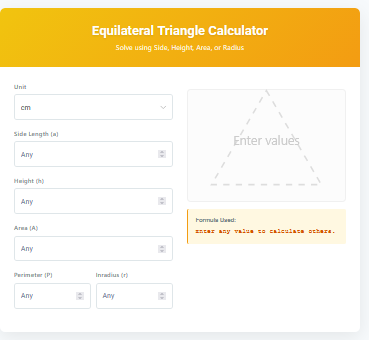
A Base Area Calculator is a geometry tool designed to find the area of the 2D shape that forms the bottom (or base) of a 3D solid. Whether you are working with a cylinder, a rectangular prism, a cube, or a triangular prism, calculating the base area (often denoted as "B") is the first essential step in determining the total volume of the object.
In geometry, the volume () of many prisms and cylinders is calculated using the simple formula , where is the base area and is the height. This calculator automates the process of finding for various shapes, saving you from manually recalling and applying different area usage formulas for circles, rectangles, squares, and triangles.
Features of Our Base Area Calculator
This tool is built to be versatile and educational, providing instant results along with the steps used to get them.
- Multiple Shapes Supported: Calculate the base area for Cylinders/Cones (Circle), Rectangular Prisms (Rectangle), Cubes (Square), and Triangular Prisms (Triangle).
- Dynamic Inputs: The input fields change automatically based on the shape you select, ensuring you only see relevant parameters like Radius, Length, Width, or Base and Height.
- Step-by-Step Solution: Unlike basic calculators that just show a number, this tool displays the formula used and the substitution step, helping students learn the math behind the result.
- Visual Representation: A generated diagram updates in real-time to show the shape and dimensions you are working with, making it easier to visualize the problem.
- Precision: Results are calculated instantly with high precision, perfect for homework checking or quick estimations.
Common Uses
Understanding base area is fundamental in various fields, from academic geometry to practical construction tasks.
- Geometry Homework: Quickly check your answers for volume and area problems involving prisms, cylinders, pyramids, and cones.
- Construction & Engineering: Determine the footprint area of pillars, tanks, or structural columns before calculating material volume.
- Packaging Design: Calculate the bottom area of boxes and containers to optimize shelf space and material usage.
- DIY Projects: Estimate the ground contact area for planters, posts, or furniture bases.
How to Use This Calculator
Using the Base Area Calculator is straightforward. Follow these simple steps:
- Select the 3D Solid or Base Shape from the dropdown menu (e.g., Cylinder, Rectangular Prism).
- Enter the required dimensions in the fields that appear. For a circle, enter the radius. For a rectangle, enter length and width.
- View the result immediately. The calculator will show the Base Area (B).
- Check the "Formula" section to see the math equation used.
- Reference the visual diagram to ensure your dimensions look correct.
Formulas Used
The calculator applies standard area formulas depending on the shape selected:
- Circle (Cylinder/Cone): B = \pi \times r^2
- Rectangle (Prism/Pyramid): B = l \times w
- Square (Cube/Pyramid): B = s^2
- Triangle (Prism/Pyramid): B = \frac{1}{2} \times b \times h
Frequently Asked Questions (FAQs)
Q: What is Base Area?
Base Area (often symbolized as B) is the surface area of the bottom face of a 3D object. It is a 2D measurement expressed in square units (e.g., cm², in²).
Q: Why do I need the Base Area?
The Base Area is a crucial component in calculating the volume of prisms and cylinders. The volume is simply the Base Area multiplied by the height of the object.
Q: Can I use this for pyramids and cones?
Yes! For pyramids and cones, the volume formula is V = (1/3) * B * h. You can use this calculator to find "B" and then multiply by height and divide by 3 yourself.
Q: Does the unit matter?
The calculator works with any unit. If you enter inches, the result is in square inches. Just ensure all your input dimensions use the same unit.
Final Words
The Base Area Calculator is an essential companion for anyone working with 3D geometry. By simplifying the first step of volume calculation, it allows you to focus on the broader problem solving. Whether you are a student learning about prisms or a professional needing a quick area check, this tool provides accuracy and clarity with every calculation.