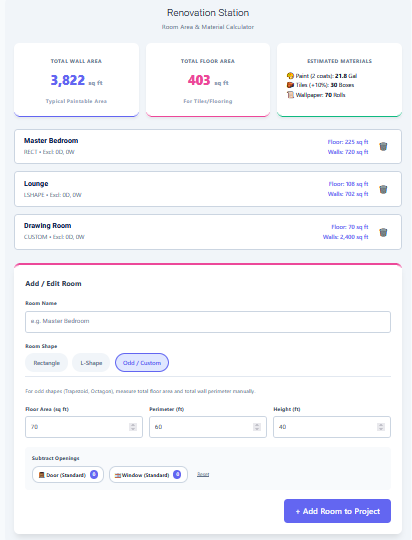
A Bathroom Area Calculator is a specialized tool for homeowners and contractors planning bathroom renovations. It calculates the total surface area of floors, walls, and ceilings that need tiling or painting. Beyond simple square footage, this tool helps you deduct obstacles like doors and windows and provides accurate estimates for the materials needed—whether that is the number of tiles or gallons of paint.
Features of Our Bathroom Area Calculator
Renovating a bathroom requires precise measurements to avoid buying too much or too little material. This calculator is packed with features to ensure your estimates are spot on.
- Complete Surface Selection: Choose exactly what you are renovating: Floor, Walls, Ceiling, or just the Shower Zone. The calculator adapts the total area accordingly.
- Smart Deductions: Easily subtract the area of doors and windows with a single click, or enter a custom deduction area to account for cabinets and fixtures.
- Material Estimation: Switch between "Tile" and "Paint" modes. The tile mode calculates the number of tiles needed based on size and pattern, while the paint mode estimates gallons based on coats and coverage.
- Cost Calculation: Enter a unit price (per sq ft or per gallon) to get an instant estimated total cost for your materials.
- Visual Preview: A dynamic visualizer generates a preview of your tile layout (grid or brick pattern) or paint coverage, giving you a better sense of the finish.
- Waste Factor: Automatically includes a percentage for waste (broken tiles, cuts, spills) to ensure you order enough material.
Common Uses
- Tile Purchasing: Determine exactly how many boxes of tiles you need for your bathroom floor or shower walls.
- Budgeting: Get a quick estimate of material costs before you head to the hardware store.
- Paint Planning: Calculate how much paint is required for walls and ceilings, factoring in multiple coats.
- Contractor Bids: Verify the material quantities quoted by contractors to ensure fairness.
How to Use This Calculator
- Enter Dimensions: Input the Length, Width, and Height of your bathroom in feet.
- Select Surfaces: Check the boxes for the surfaces you intend to cover (Floor, Walls, Ceiling, etc.).
- Add Deductions: Click "+ Door" or "+ Window" to subtract standard openings, or enter a custom value for other obstacles.
- Choose Material: Toggle between "Tile" and "Paint" using the tabs.
- Configure Material: For tiles, select the size (e.g., 12x12) and pattern. For paint, enter the number of coats.
- Review Results: See the Total Net Area, Quantity Needed (Tiles or Gallons), and Estimated Cost instantly.
Renovation Tips
- Always Buy Extra: The standard waste factor is 10%, but for complex patterns or inexperienced DIYers, consider 15-20%.
- Deduct Carefully: Don't forget to deduct areas behind large permanent fixtures like vanities or bathtubs if you aren't tiling under them.
- Check Lots: When buying tiles, ensure they all come from the same dye lot to avoid slight color variations.
Frequently Asked Questions (FAQs)
Q: How do I calculate waste?
Our calculator includes a "Waste %" field. 10% is standard for straight lays, while 15% is recommended for diagonal layouts.
Q: Does this include grout?
No, this calculator estimates tile count and paint volume. Grout and thinset are separate calculations.
Q: Can I handle custom tile sizes?
Yes! Select "Custom" in the tile size dropdown and enter your specific width and height in inches.
Q: What is the standard door deduction?
A standard door is typically calculated as roughly 21 square feet (3ft x 7ft). Our calculator uses this default but allows custom inputs.
Final Words
Planning a bathroom remodel doesn't have to be a guessing game. With the Bathroom Area Calculator, you can confidently estimate materials and costs, saving you time and money. Whether you are laying a subway tile backsplash or repainting the ceiling, this tool gives you the numbers you need to get the job done right.