Irregular Area Calc XY Coords
| # | X Coord | Y Coord |
|---|
In the real world, land is rarely a perfect square or circle. Property lines zigzag, riverbanks meander, and construction sites follow complex city grids. When you need to find the total area of a shape that defies standard formulas, the Irregular Area Calculator is the ultimate solution.
By using the “Coordinate Method” (simply mapping the X and Y positions of every corner), this tool allows you to calculate the precise area of any closed polygon—whether it has 5 sides or 500.
How It Works: The Shoelace Formula
Under the hood, this calculator uses the Shoelace Formula (also known as the Surveyor’s Formula). It gets its unique name from the crisscross pattern of multiplication used in the manual calculation, which looks like lacing up a shoe.
Instead of trying to break a complex shape into hundreds of tiny triangles (triangulation), the Shoelace formula calculates the area directly from the coordinates of the vertices. It sums the area of trapezoids formed by each side and the x-axis, cancelling out the “empty” space naturally. Ideally, you list the points in counter-clockwise order to result in a positive area directly.
Key Features of This Calculator
1. Two Input Modes
– Manual Entry: Perfect for small jobs or homework. Simply type in the X and Y values for each corner point one by one. You can add or remove rows as needed.
– Bulk Import (Excel Compatible): Ideal for surveyors and engineers. If you have a list of coordinate points in Excel, CSV, or a text file, just copy and paste them into the box. The tool parses the data instantly.
2. CSV Export
Once you have plotted your shape, you can export the data as a `.csv` file. This allows you to save your work, share the boundary points with a colleague, or import them into CAD software later.
3. Real-Time Visualization
As you enter points, the calculator draws the shape on a canvas in real-time. This is crucial for verifying your data—if you type a typo (like “100” instead of “10”), you will instantly see a spike in the drawing. It also calculates the Centroid (geometric center) of the shape.
4. Unit Flexibility
Work in Meters, Feet, Inches, or Millimeters. The calculator handles the scale, and the visualization adapts automatically.
Who Uses This Tool?
Land Surveyors and Property Developers
Determining the exact acreage of a land plot is the most common use case. Surveyors use a “Total Station” or GPS to log the northing and easting (Y and X) of boundary markers. Plugging these into our calculator gives the precise legal area for deeds and valuation.
Construction and Civil Engineering
Estimating material for a parking lot, pouring a non-standard concrete slab, or laying sod on a winding golf course green requires exact area data. Engineers export site coordinates from blueprints and use this method to estimate costs accurately.
GIS and Mapping
Geographic Information Systems (GIS) rely heavily on polygon areas. Whether tracking deforestation patches or urban sprawl, mapping professionals use coordinate geometry to quantify changes on the earth’s surface.
Step-by-Step Guide
- Step 1: Define Your Origin
Pick a starting point (0,0) or use relative measurements from a corner. It does not matter where the shape “sits” on the grid; the area remains the same.
- Step 2: List Points in Order
This is critical. You must list the points sequentially around the perimeter (e.g., Point A -> B -> C -> D). If you skip across the middle (e.g., A -> C -> B), the lines will cross, and the calculation will be wrong (forming a “bow-tie” shape).
- Step 3: Close the Loop?
Our calculator automatically “closes the loop” for you, connecting the last point back to the first. You do not need to re-enter the first point at the end.
Frequently Asked Questions (FAQ)
Q: Why is my result negative?
A: The Shoelace formula relies on the order of points. If you list points in clockwise order, the raw mathematical result is negative. If listed counter-clockwise, it is positive. Our calculator automatically takes the “Absolute Value,” so you always get a positive area, but the sign technically indicates direction.
Q: Does it handle holes in the shape?
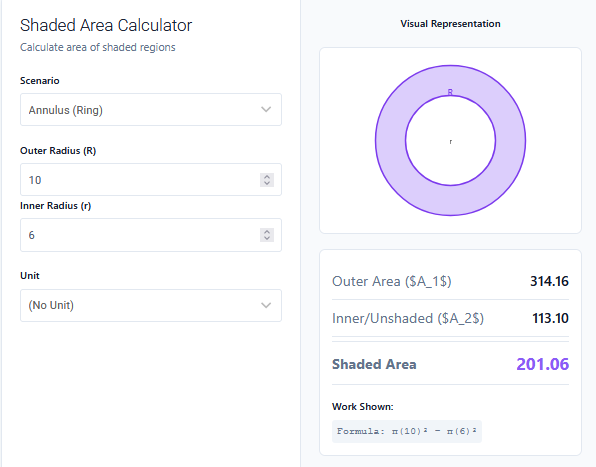
A: This specific calculator computes a single closed polygon. To calculate a shape with a hole (like a donut), calculate the “Outer” shape area, then calculate the “Inner” hole area separately, and subtract the Inner form the Outer.
Q: Can I use Latitude and Longitude?
A: No. Lat/Lon are spherical coordinates (curved earth). This calculator assumes a flat 2D plane (Cartesian). For small fields, the error is negligible, but for large scale mapping (cities/states), you should project Lat/Lon to a grid system (like UTM) first to get X/Y meters.
Final Words
The Irregular Area Calculator brings the power of professional surveying to your browser. By transforming a list of abstract numbers into a tangible area, it turns complex geometry into a simple data entry task. Remember: accurate input equals accurate output—measure twice, type once!