Renovation Station
🧱 Tiles (+10%): 0 Boxes
📜 Wallpaper: 0 Rolls
Planning a home makeover involves more than just picking colors; it requires precise math to avoid buying too much paint or too few tiles. The Room Renovation Calculator is a project management tool that aggregates the surface areas of multiple rooms. It calculates the Net Wall Area (for painting/wallpaper) and Floor Area (for tiling/carpet), automatically subtracting “exclusions” like doors and windows.
Features
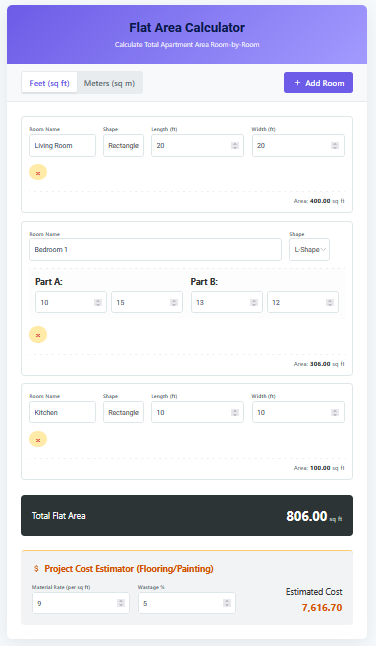
1. Multi-Room Aggregation: Add as many rooms as you need (e.g., “Master Bedroom,” “Kitchen,” “Hallway”). The dashboard sums them all up into a single project total.
2. Smart Shapes: Handles standard Rectangles, complex L-Shapes (with cutout logic), and Custom odd shapes where you manually input total area/perimeter.
3. Automatic Material Estimator: Instantly translates square footage into buying units:
– Paint: Gallons needed (assuming 2 coats @ 350 sq ft/gal).
– Tiles: Boxes needed (assuming 15 sq ft/box + 10% waste).
– Wallpaper: Rolls needed (standard coverage).
4. Exclusion Logic: Quickly subtract standard doors (21 sq ft) and windows (12 sq ft) with a single click, ensuring you don’t pay to paint the glass.
Uses
– Budgeting: Get a realistic estimate of material costs before heading to the hardware store.
– Real Estate Flipping: Quickly assessing the rehab costs for a potential investment property.
– Contractor Bids: providing a detailed “Scope of Work” to contractors with exact square footages to prevent “padding” of estimates.
Tips
– Ceilings: This calculator focuses on Walls and Floors. If you are painting the ceiling, usually the ceiling area is identical to the Floor Area.
– Waste Factor: The calculator automatically adds 10% waste for tiles (for cuts and breakage). For paint, it calculates exact coverage, so round up to the nearest gallon.
– Primer: If you are painting over a dark color or fresh drywall, you will need a separate coat of primer. Count this as 1 “coat” of paint volume.
FAQs
Does this include trim/baseboards?
No. Baseboards are measured linearly (perimeter). This calculator focuses on surface area (square footage).
How do I measure an L-shaped room?
Imagine a large rectangle that covers the whole L, then subtract the empty “cutout” corner. The calculator has a dedicated “L-Shape” mode where you enter the Maximum Length/Width and the Cutout Length/Width.
What size are the tile boxes?
The estimate assumes a standard box coverage of ~15 sq ft. Always check the specific packaging of the tile you choose.
Final Words
Renovation is messy, but your math shouldn’t be. By centralizing all your measurements in one place and automatically converting dimensions into shopping lists, the Room Renovation Calculator keeps your project organized and your budget on track. It is the first step between “dreaming it” and “doing it”.