
Triangle Area Calculator (3D Coordinates)
Point A
Point B
Point C
Formula Used:
Area = ½ × ‖(B − A) × (C − A)‖
Cross product magnitude gives parallelogram area; rectangle area is half.
In many real-world fields like engineering, physics, computer graphics, and 3D modeling, shapes are not limited to flat surfaces. Triangles often exist in three-dimensional space, where each point has an x, y, and z coordinate. Calculating the area of such a triangle is more complex than in 2D geometry because the triangle can lie on any tilted plane.
A Triangle Area 3D Coordinates Calculator makes this task simple. Instead of working through long vector calculations, you only need to enter the coordinates of the three vertices. The calculator then uses vector mathematics to instantly find the triangle’s area.
This tool is perfect for students, engineers, designers, and researchers who work with 3D data and need fast, accurate results.
What Is a Triangle Area 3D Coordinates Calculator?
A Triangle Area 3D Coordinates Calculator is an online geometry tool that calculates the area of a triangle in 3D space using the coordinates of its three vertices.
What Are 3D Coordinates?
In three-dimensional space, every point is defined by three values:
x → horizontal position
y → vertical position
z → depth position
A triangle is formed when three non-collinear points are connected.
What the Calculator Can Find
The calculator determines:
The area of the triangle
Whether the points form a valid triangle
Results using vector geometry (not basic 2D formulas)
No side lengths, angles, or heights are required.
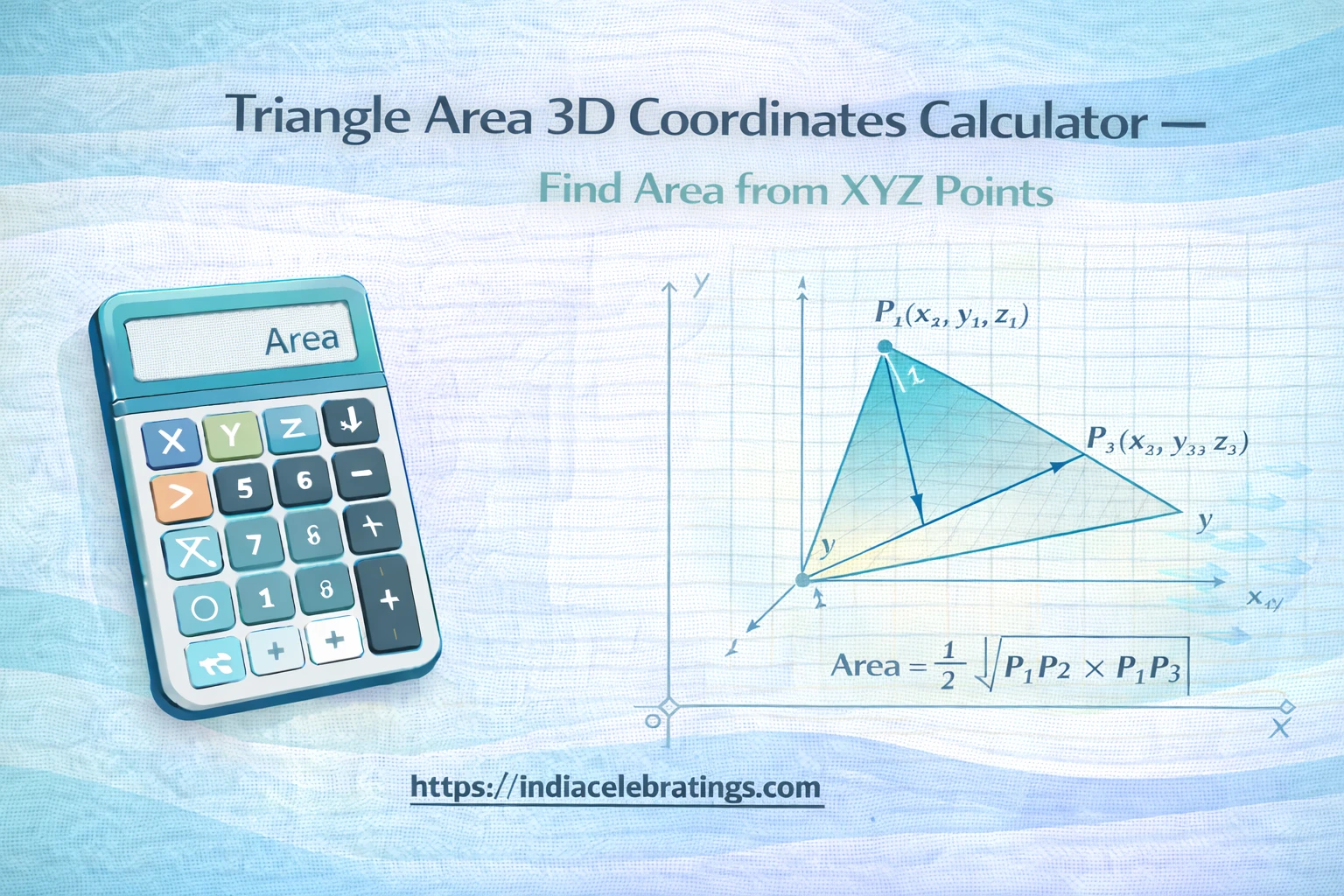
How the Calculator Works
The calculator follows a vector-based method to find the triangle’s area.
Step 1: Enter the Coordinates
You provide three vertices:
A = (x₁, y₁, z₁)
B = (x₂, y₂, z₂)
C = (x₃, y₃, z₃)
Step 2: Form Two Side Vectors
The calculator creates two vectors from point A:
Vector AB
Vector AC
Step 3: Calculate the Cross Product
The cross product of these vectors produces a new vector that is perpendicular to the triangle’s plane.
Step 4: Find the Magnitude
The length of this vector represents the area of the parallelogram formed by AB and AC.
Step 5: Divide by 2
Since a triangle is half of a parallelogram, the final area is half the magnitude.
Key Formulas Used in the Calculator
Vector AB and AC
\vec{AB} = (x_2 - x_1,; y_2 - y_1,; z_2 - z_1) \vec{AC} = (x_3 - x_1,; y_3 - y_1,; z_3 - z_1)Cross Product Formula
<br />\vec{AB} \times \vec{AC} = \langle<br />(y_2 - y_1)(z_3 - z_1) - (z_2 - z_1)(y_3 - y_1),<br />(z_2 - z_1)(x_3 - x_1) - (x_2 - x_1)(z_3 - z_1),<br />(x_2 - x_1)(y_3 - y_1) - (y_2 - y_1)(x_3 - x_1)<br />\rangle<br />Magnitude of a Vector
|\vec{v}| = \sqrt{v_x^2 + v_y^2 + v_z^2}Triangle Area in 3D
\text{Area} = \frac{1}{2} \left| \vec{AB} \times \vec{AC} \right|Step-by-Step Examples
Example 1: Collinear Points
A = (1, 2, 3)
B = (2, 4, 6)
C = (3, 6, 9)
All points lie on the same line.
\text{Area} = 0The calculator correctly shows zero area.
Example 2: Valid 3D Triangle
A = (1, 0, 0)
B = (0, 1, 0)
C = (0, 0, 1)
Vectors:
\vec{AB} = (-1, 1, 0) \vec{AC} = (-1, 0, 1)Cross product:
\vec{AB} \times \vec{AC} = (1, 1, 1)Magnitude:
|(1,1,1)| = \sqrt{3}Triangle area:
\text{Area} = \frac{1}{2} \sqrt{3} \approx 0.866Features of the Triangle Area 3D Coordinates Calculator
Supports 3D Geometry
Handles triangles in full three-dimensional space.
Automatic Vector Calculations
No need to manually compute cross products.
Instant Results
The area is displayed immediately.
Error Detection
Collinear points are identified automatically.
Simple Input System
Only XYZ coordinates are required.
Uses and Applications of the Calculator
Engineering and Design
Engineers use 3D triangle areas to analyze surfaces and structures.
Physics and Mechanics
Used in force analysis, torque calculations, and spatial modeling.
Computer Graphics and 3D Modeling
Triangle areas are essential for rendering, lighting, and mesh design.
Surveying and Mapping
Used in terrain modeling and spatial measurements.
Tips to Avoid Common Mistakes
One common mistake is entering the wrong coordinate values. Always double-check each x, y, and z value before calculating.
Another issue is using points that lie on the same straight line. Such points do not form a triangle, so the area will be zero.
Some users confuse the cross product with the dot product. Only the cross product is used to calculate triangle area in 3D.
Rounding numbers too early can reduce accuracy. Let the calculator handle all precision until the final result.
Finally, make sure all coordinates use the same unit system to avoid incorrect area interpretation.
Frequently Asked Questions (FAQs)
What is a 3D triangle?
A triangle formed by three points in three-dimensional space.
Why use vector math?
Vector math handles spatial relationships in 3D accurately.
What if the area is zero?
It means the points are collinear.
Does point order matter?
No. The calculator uses absolute values.
What units does the area use?
Square units based on the coordinate system.
Final Words
The Triangle Area 3D Coordinates Calculator is a powerful tool for solving spatial geometry problems. By using vector cross product formulas, it finds accurate triangle areas using only coordinate data.
Whether you are a student, engineer, or designer, this calculator helps you work with 3D triangles quickly and confidently.