
Vector Triangle Calculator
Calculate resultant vectors and components.
In physics and engineering, many quantities such as force, velocity, and displacement are represented using vectors. A vector has both a magnitude (size) and a direction. When two or more vectors act together, we need to combine them to find the resultant vector.
One of the easiest ways to add two vectors is by using the Triangle Law of Vector Addition. However, doing this manually requires breaking vectors into components, applying formulas, and calculating angles. This can be time-consuming and confusing.
A Vector Triangle Calculator makes this process simple. By entering the magnitude and direction of two vectors, the calculator instantly finds the resultant vector, its components, and its direction.
What Is a Vector Triangle Calculator?
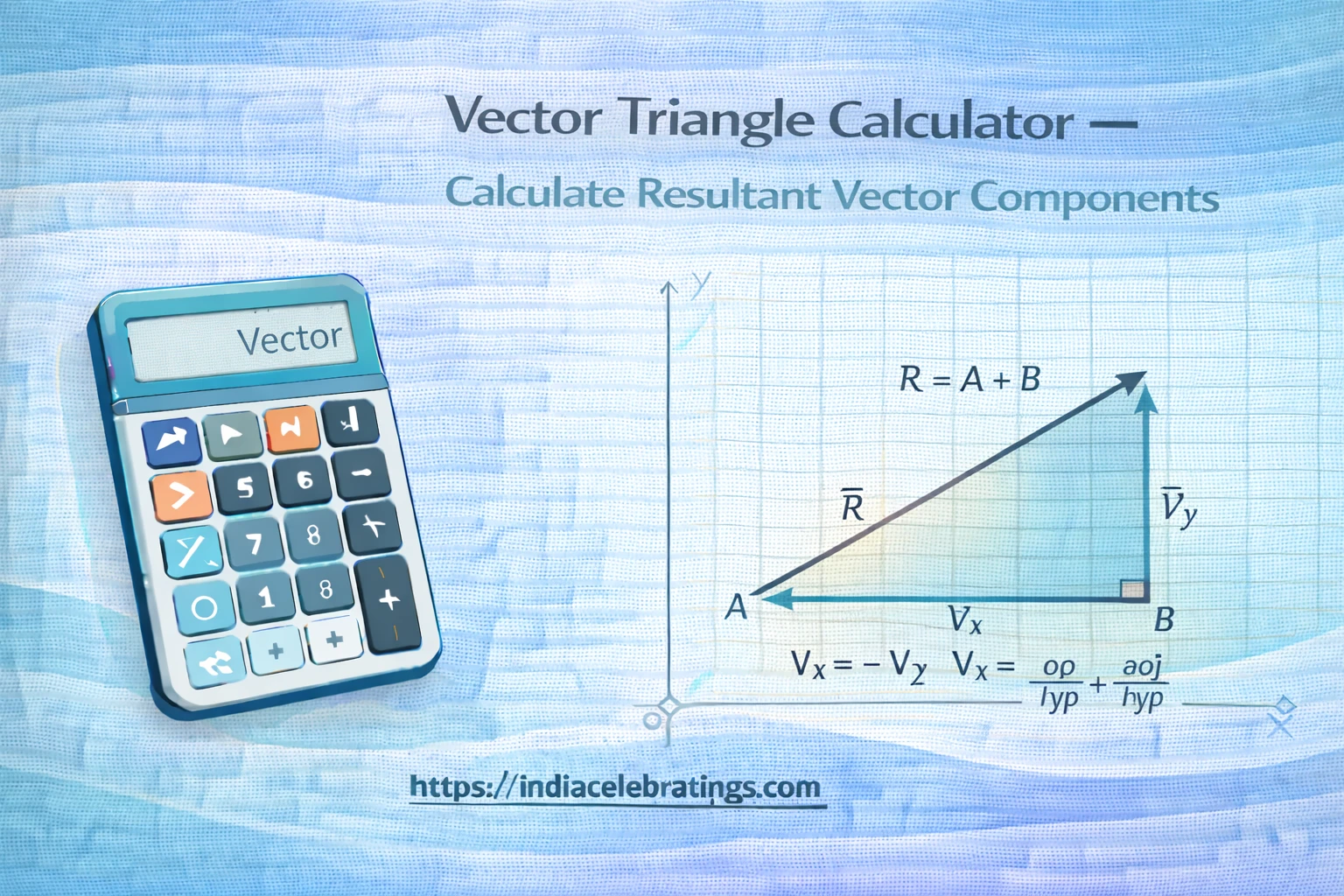
A Vector Triangle Calculator is an online tool that adds two vectors using the triangle (head-to-tail) method.
What Is the Triangle Law of Vector Addition?
According to this law:
Place the tail of the second vector at the head of the first vector
Draw a new vector from the start of the first to the end of the second
This new vector is called the resultant vector
What the Calculator Can Find
The calculator determines:
X and Y components of each vector
Resultant vector components
Resultant magnitude
Resultant direction (angle)
This makes vector addition quick and accurate.
How the Calculator Works
The calculator follows a simple step-by-step process.
Step 1: Enter Vector Values
You enter:
Magnitude of Vector A
Angle of Vector A
Magnitude of Vector B
Angle of Vector B
Angles are usually measured from the horizontal axis.
Step 2: Break Vectors into Components
Each vector is split into horizontal (X) and vertical (Y) parts.
Step 3: Add the Components
The X components are added together, and the Y components are added together.
Step 4: Find the Resultant Vector
Using the combined components, the calculator finds the final magnitude and direction.
Key Formulas Used in the Calculator
Vector Component Formulas
V_x = |V| \cdot \cos(\theta) V_y = |V| \cdot \sin(\theta)These formulas convert a vector into horizontal and vertical parts.
Resultant Components
R_x = A_x + B_x R_y = A_y + B_yThe components of both vectors are added together.
Resultant Magnitude
|R| = \sqrt{R_x^2 + R_y^2}This gives the size of the resultant vector.
Resultant Direction
\theta_R = \tan^{-1}\left(\frac{R_y}{R_x}\right)This formula finds the direction of the resultant vector.
Step-by-Step Example
Given Vectors
Vector A = 10 units at 30°
Vector B = 8 units at 60°
Step 1: Find Components of Vector A
A_x = 10 \cdot \cos(30^\circ) A_y = 10 \cdot \sin(30^\circ)Step 2: Find Components of Vector B
B_x = 8 \cdot \cos(60^\circ) B_y = 8 \cdot \sin(60^\circ)Step 3: Add Components
R_x = A_x + B_x R_y = A_y + B_yStep 4: Find Resultant Magnitude
|R| = \sqrt{R_x^2 + R_y^2}Step 5: Find Resultant Direction
\theta_R = \tan^{-1}\left(\frac{R_y}{R_x}\right)The calculator performs all these steps instantly.
Features of the Vector Triangle Calculator
Instant Vector Addition
The calculator gives fast results for complex vector problems.
Component Breakdown
It shows X and Y components clearly for better understanding.
Accurate Direction Output
The tool calculates the exact angle of the resultant vector.
User-Friendly Interface
The layout is simple and easy to use for beginners.
Visual Representation
Many versions show a diagram of the vectors placed head to tail.
Uses and Applications of the Calculator
Physics Problems
In physics, vectors represent forces, velocity, and displacement. This calculator helps students and professionals find the net force or motion direction quickly and accurately.
Engineering Calculations
Engineers use vector addition to analyze loads, forces, and motion in machines and structures. The calculator saves time and reduces calculation errors.
Navigation and Motion
Pilots and sailors use vector addition to find their true direction when wind or current affects movement. This tool helps combine those vectors easily.
Robotics and Mechanics
Robots move using vector directions. The calculator helps determine motion paths and control directions.
Tips to Avoid Common Mistakes
One common mistake is using the wrong angle reference. Angles must be measured from the horizontal axis unless stated otherwise. Using a different reference direction will give incorrect results.
Another frequent error is mixing degrees and radians. Most vector calculators expect angles in degrees. Always check the angle mode before entering values.
Some users forget to consider negative directions. If a vector points left or downward, its components may be negative. The calculator handles this automatically, but your inputs must be correct.
Rounding values too early can reduce accuracy. It is better to use exact values and let the calculator round the final answer.
Finally, always double-check the magnitude and angle of each vector. A small typing mistake can change the entire result.
Frequently Asked Questions (FAQs)
What is a resultant vector?
It is the single vector that represents the combined effect of two vectors.
Does the calculator show components?
Yes, it displays both X and Y components.
Can it handle negative directions?
Yes, it calculates negative components correctly.
Is it useful for physics?
Yes, it is widely used for physics and engineering problems.
What units can I use?
Any unit can be used, as long as both vectors use the same unit.
Final Words
The Vector Triangle Calculator is a powerful tool for adding vectors using the triangle method. By breaking vectors into components and applying simple formulas, it finds the resultant magnitude and direction quickly.
Whether you are a student, engineer, or physics enthusiast, this calculator helps you solve vector problems accurately and confidently. Just enter your vector values and get instant results.